Flipkart Seller Registration: Your Seller Hub Account, Set Up and Listing-Ready
Flipkart does not give you second chances with document verification. One mismatch between your GST certificate and bank account name, and you are waiting days for resubmission. One wrong pickup state, and your application gets flagged.
We have registered enough Flipkart seller accounts to know where the friction points are. The Subtext handles your entire Flipkart seller registration: we verify your documents before they go anywhere near Seller Hub, register your account, manage brand approvals, configure your fulfillment settings, and build your first product listings for Flipkart search. You come to us with your GST and PAN ready. You walk away with a live seller account.
Our Flipkart Registration Service Covers
- Pre-submission document verification (GSTIN, PAN, bank account, address alignment)
- Seller Hub account creation and business profile configuration
- Verification follow-up and document resubmission if anything gets flagged
- Brand approval for branded or restricted product categories
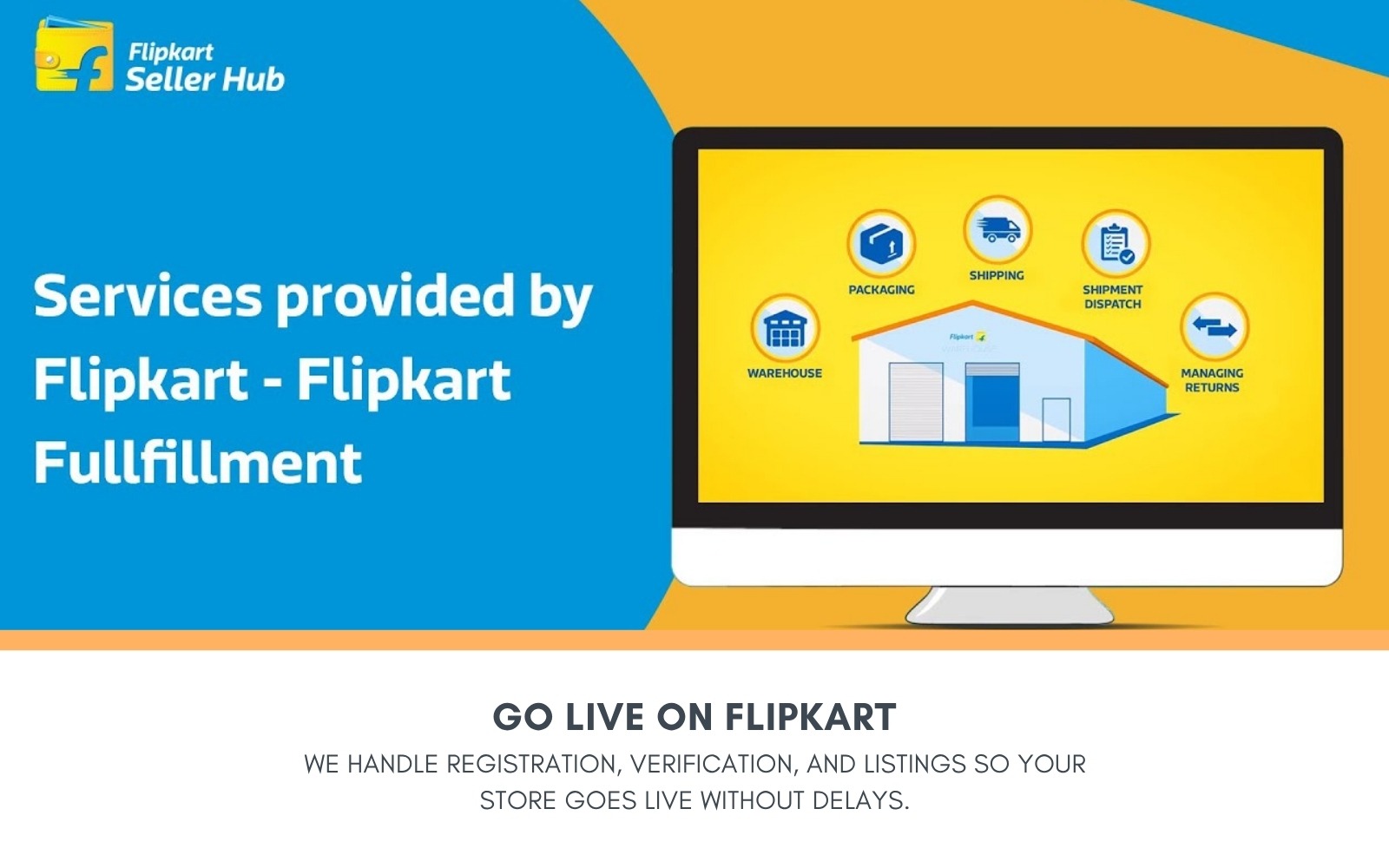
- Fulfillment setup: FBF, Smart Fulfillment, or Self-Ship based on your operations
- Search-optimized first product listings with Flipkart category mapping
- Shopsy listing activation for sellers in the value segment
Before You Reach Out, Make Sure You Have
- An active GSTIN (Flipkart has zero flexibility here, no enrollment ID, no workaround)
- PAN card (individual for sole proprietors, business PAN for companies)
- Current bank account with the name matching your GST certificate exactly
- Address proof from the same state as your GST registration
- One product ready to list (you cannot complete registration without it)
No GST? Flipkart will not let you in. Get that sorted with a CA, then come to us for ecommerce registration.
The Short Version of Flipkart Seller Registration
Register on seller.flipkart.com. Submit your GST, PAN, and bank details. Flipkart verifies them against government databases. If everything matches, your account goes live in 1 to 2 business days. List a product. Start selling.
That is the short version. Here is what actually happens.
Flipkart’s verification is automated, which means it is fast but unforgiving. There is no human on the other end making judgment calls about whether “Pvt Ltd” and “Private Limited” mean the same thing. The system sees a mismatch and rejects. Then you resubmit, wait again, and hope the second attempt clears.
The other thing sellers miss is brand approval. Flipkart separates seller registration from brand authorization. Your account can be active, but if you try to list a branded product without approval, the listing gets blocked. This creates a 1 to 3 day gap between your account going live and your ability to actually sell anything. We run both processes in parallel so that gap does not exist.
What Makes Flipkart Different From Amazon and Meesho
If you are reading this page, you have probably looked at the other two. Here is where Flipkart sits differently in the registration landscape.
GST is non-negotiable. Amazon allows some GST-exempt product listings. Meesho has an Enrollment ID system for small sellers without GST. Flipkart? No exceptions. Section 24(ix) of the CGST Act mandates GST for all ecommerce sellers, and Flipkart enforces it completely. No GSTIN, no account. This also means composition scheme dealers are out. Section 10(2)(d) bars composition registrants from selling through ecommerce operators. If that is your current GST type, you need to convert to regular before you can register.
The seller portal is called Seller Hub. Older guides call it Seller Central or the Seller Dashboard. Those names are outdated. The current portal is Seller Hub, and everything, from registration to order management to advertising, lives there at seller.flipkart.com.
Shopsy is a layer most sellers do not think about at registration, but should. It is Flipkart’s zero-commission sub-platform for affordable products aimed at tier 2 and tier 3 buyers. Your Flipkart seller account gives you access to Shopsy automatically. If your product range includes budget fashion, home essentials, or daily use items, Shopsy puts you in front of a buyer segment that may never browse the main Flipkart app. We configure Shopsy visibility as part of our setup.
Payment cycles are shorter. Flipkart settles payments within 7 days of dispatch for most seller tiers. Amazon typically runs 7 to 14 days. For sellers managing tight cash flow, especially those buying inventory on credit terms, that difference adds up across hundreds of orders per month.
Flipkart Seller Registration: Documents You Need
Document requirements depend on your business type. Here is the breakdown.
Document | Individual / Sole Proprietor | Company / LLP / Partnership |
GSTIN | Active, linked to individual PAN | Active, linked to business PAN |
PAN Card | Individual PAN | Company/LLP PAN |
Identity Proof | PAN / Aadhaar / Passport / Voter ID | Incorporation certificate / MOA / LLP agreement |
Address Proof | Utility bill / Bank statement / Lease | Utility bill / Bank statement / Lease |
Bank Account Proof | Cancelled cheque or passbook | Cancelled cheque or passbook |
Email and Phone | OTP verification | OTP verification |
Brand Authorization | Only if selling branded products | Only if selling branded products |
The rule that catches everyone: names must match character for character across GST, bank account, and Seller Hub. We have seen registrations stall over a missing period after “Ltd” or a different spelling of a partner’s name. We verify every document against every other document before we submit.
Got Your Documents? We Will Take It From Here.
At The Subtext, we verify, register, get brand approvals, and set up your listings. No rejections. No back and forth with Flipkart support.
How Flipkart Vendor Registration Works: The Full Process
Eight steps from start to live account. Here is what happens at each one.
1. Create Your Seller Hub Account
Head to seller.flipkart.com. Click “Start Selling.” Enter your mobile number, get the OTP, verify. Add your email. Set a password. That gives you a basic Seller Hub login.
2. Fill In Your Business Profile
Business name, type, and registered address. Flipkart pulls some of this from your GSTIN automatically, so if your GST profile has outdated information, it will carry over into your application. Make sure your GST profile is current before this step.
3. Enter GSTIN and PAN
Both get verified against government databases in real time. Your GSTIN must be active and linked to the PAN you enter. One GSTIN per seller account. If you sell from multiple states, each state needs its own GSTIN, but they can all link to the same PAN.
4. Provide Bank Details
Account number and IFSC code. Flipkart matches the account holder name against your business name on GST. This is the step where most registrations fail. Not because the documents are wrong, but because names are written differently. “Sharma Traders” on GST and “SHARMA TRADERS” on the bank passbook? That can clear. “Sharma Traders” and “Sharma Trading Co.”? That will not.
5. Add Your Pickup Address
Must be in the same state as your GST registration. Flipkart’s logistics partners pick up orders from this address. You can add additional pickup addresses later through Seller Hub, but your primary one has to match the GST state. This is a compliance requirement, and Flipkart does not bend it.
6. Select Fulfillment Method
Three choices: FBF (Flipkart stores and ships for you), Smart Fulfillment (you store, Flipkart ships), or Self-Ship (you handle everything). More on each below. We recommend a fulfillment method based on your product type and operational setup.
7. Add Your First Product
Flipkart requires at least one product listing to activate your account. Two paths here: if the product already exists on Flipkart, you can “latch” onto that listing. If it is a new product, you create a fresh listing with title, description, category, images, and pricing. We build this listing with search optimization in mind so your product is discoverable from day one.
8. Go Live
Documents verified, product listed, account active. Timeline from start to live: 1 to 2 business days when documents are clean. Longer if something needs correction, which is why we check everything upfront.
FBF, Smart Fulfillment, or Self-Ship: Picking the Right One
This choice affects more than just shipping. It determines your eligibility for the Flipkart Assured badge, your delivery speed, your fee structure, and how much operational work falls on you.
Fulfillment by Flipkart (FBF)
Send your stock to Flipkart’s warehouse. They handle storage, packing, dispatch, delivery, and returns. Products stored in FBF facilities qualify for the Flipkart Assured badge, which tells buyers the product ships faster and comes with Flipkart’s quality backing. Conversion rates tend to be higher with this badge. The cost is storage fees (monthly, based on volume) and pick-and-pack charges (per shipment). FBF makes sense when your product has consistent demand and you can forecast inventory accurately. It does not make sense for slow-moving or seasonal products that would sit in storage racking up fees.
Smart Fulfillment
You keep inventory at your location. Flipkart’s delivery partner collects orders from you and handles last-mile shipping. You still manage packing, but you skip the warehouse commitment. This is Flipkart’s most popular option for mid-size sellers who want reliable delivery without the inventory risk of FBF. Fixed fees are slightly higher than FBF, but you avoid storage charges entirely.
Self-Ship
Full control. You store, pack, ship, and deliver using your own courier network. Flipkart stays out of the logistics chain. This works if you already have courier partnerships in place or sell products that do not fit standard shipping profiles (oversized items, fragile goods, temperature-sensitive products). Most new sellers should not start here unless they have a logistics operation already running.
What Does It Cost to Sell on Flipkart?
Registering is free. Listing is free. Flipkart charges fees only when you make a sale. Here is what those fees look like.
Fee Type | How It Works |
Commission (Referral Fee) | Percentage of selling price. Fashion: 10-25%. Electronics: 3-12%. Home: 8-15%. Varies by sub-category. Check your rate card in Seller Hub. |
Fixed Fee | Flat charge per delivered order. Rs 10 to Rs 75 depending on price slab and seller tier. FBF orders get a lower fixed fee. |
Shipping Fee | Based on weight, dimensions, and delivery zone. Lightweight items (under 500g) shipped locally or zonally often ship free. |
Collection Fee | Payment processing charge. 2% on prepaid orders. Flat fee on postpaid orders under Rs 750. |
FBF Charges | Pick-and-pack fee per shipment plus monthly storage fee. Only applies if you use Fulfillment by Flipkart. |
TCS | 1% deducted by Flipkart on your net sales. Deposited with the government. You claim it as credit when filing GST returns. |
One thing worth understanding: Flipkart uses a seller tier system. Bronze, Silver, Gold, Platinum. Your tier determines your fixed fee rates and your visibility in search results. Tier is calculated from your performance metrics: dispatch time, cancellation rate, and customer ratings. Starting strong matters because your early metrics set your tier, and your tier sets your fee structure. We configure your account and listings to support the operational practices that keep your tier moving upward.
Flipkart’s Revenue Calculator inside Seller Hub lets you model exact fees per product. Use it before you finalize pricing.
Fees Make Sense. Process Feels Like Too Much?
We handle the entire Flipkart setup. From document check to live listings. You price your products, we get your store running. Book a free consultation.
Brand Registration and Approval on Flipkart
Flipkart does not let you list branded products without authorization. This applies whether you own the brand or resell someone else’s.
If you are the brand owner, submit your trademark registration certificate through Seller Hub. Flipkart’s brand regulation team reviews it and grants approval, usually within 24 to 72 hours.
If you are a reseller, you need a brand authorization letter from the brand owner. The letter must explicitly authorize you to sell their products on Flipkart. Some categories (fashion, electronics, beauty) enforce this more strictly than others.
Trademark registration is not mandatory for basic seller registration, but it matters if you are building your own brand. A registered trademark (or even a pending application filed through the IP India portal) gives you brand protection on the platform and access to brand-specific listing features. Filing typically costs Rs 4,500 as the government fee for individuals and startups, and processing takes 6 to 8 months. A pending application is accepted by Flipkart in the interim.
We include brand approval in our registration service. Trademark documents, authorization letters, category-specific approvals, all handled alongside your seller account setup. No gap between your account activating and your products being listable.
Where Flipkart Registration Goes Wrong
Five patterns we see regularly.
Document name inconsistencies. The top reason for rejection. “ABC Enterprises” on your GST and “A.B.C. Enterprises” on the bank passbook looks like a small thing. The verification system does not see it as small. We catch these before submission.
Registering without GST. Sellers who have been selling on Meesho without GST sometimes assume Flipkart works the same way. It does not. No GSTIN, no Flipkart account. Full stop.
Composition scheme GST. A legal barrier. Section 10(2)(d) of the CGST Act bars composition dealers from selling through ecommerce operators. Converting to regular registration is the only path forward, and that needs a CA, not us.
Pickup address in the wrong state. Your pickup location must match your GST registration state. If your business is in Rajasthan but your GST is registered in Delhi, Flipkart will flag the mismatch. Either register GST in the state where your warehouse is, or arrange a pickup address within your GST state.
Ignoring brand approval until after registration. Account goes live, seller tries to list a product, listing gets blocked because the brand is not approved. Then it is a 1 to 3 day wait before they can sell anything. We run brand approval in parallel with registration so this never happens.
Skipping category eligibility checks. Some categories on Flipkart need pre-approval or additional documentation (jewellery, health products, electronics sub-categories). We verify your product’s category requirements before we start the registration process.
A Note on Flipkart Wholesale Registration
Flipkart Wholesale is a B2B platform where retailers buy inventory at wholesale rates. It is a completely separate registration from the Flipkart seller account we have been discussing.
If you are a manufacturer or distributor interested in supplying to retailers through Flipkart’s B2B channel, registration happens through the Flipkart Wholesale app. You verify your mobile, provide business KYC, and get onboarded as a wholesale supplier.
Our services focus on the Flipkart marketplace (B2C seller registration). If Flipkart Wholesale fits your distribution model, let us know and we can discuss whether it makes sense alongside your marketplace presence.
Selling Packaged Goods? Quick Commerce Is the Other Channel.
Flipkart’s marketplace reaches shoppers who browse and compare. Quick commerce reaches shoppers who need something in the next 10 minutes. If your product sits in FMCG, packaged food, beauty, personal care, or household essentials, both channels matter.
Platforms like Zepto, Blinkit, Swiggy Instamart, and BigBasket have their own onboarding flows. Different documentation formats. Stricter operational requirements around barcodes, warehouse mapping, and category compliance. We handle registration on all of them with the same process: document review, submission, verification, product listing.
Flipkart has its own entry here too. Flipkart Minutes is their quick commerce arm, expanding to more cities through 2026. If you are already a Flipkart seller, adding Minutes as a channel can be managed through your existing Seller Hub account.
What The Subtext Handles for Flipkart Registration
We are a digital marketing agency. Our role in the Flipkart registration process is the marketplace side: getting your account live, verified, and selling. Here is the scope.
- Document verification: we cross-check every document against every other document for name, address, and GST state consistency before anything gets submitted.
- Seller Hub registration: account creation, business profile, tax settings, pickup address, fulfillment method. Configured correctly the first time.
- Brand approval: trademark documents, authorization letters, and category-specific approvals submitted in parallel with registration. No waiting after your account is active.
- Product listings: your first products listed with optimized titles, descriptions, images, and accurate Flipkart category mapping. Built for search visibility.
- Shopsy activation: if your products fit the value segment, we configure Shopsy listing visibility as part of the setup.
What we do not handle: GST registration, entity formation, legal compliance, tax filing. Those go through a CA. Our work starts after your paperwork is sorted.
Already Selling on Flipkart? We Also Handle Full Ecommerce Registration.
Some sellers come to us with a Flipkart account already live but a messy foundation underneath. GST registered in the wrong state. Bank account name mismatched with their entity documents. No presence on Amazon or Meesho despite having the inventory for it.
If you are at that stage, or if you are starting fresh and need registration across multiple marketplaces, our ecommerce registration service covers the full picture. We review your documents, register your seller accounts on Amazon, Flipkart, and Meesho, handle verification on each platform, and set up your first product listings with platform-specific optimization.
As already mentioned, for sellers with FMCG, packaged food, beauty, or household products, we also handle vendor registration on quick commerce platforms like Zepto, Blinkit, Swiggy Instamart, and BigBasket.
One team. One document review. Multiple platforms live.
Your Products Deserve to Be on Flipkart. Your Time Does Not Deserve to Be Spent on Registration.
Get in touch. We check your documents, confirm category eligibility, handle brand approvals, and get your Seller Hub account live with listings ready to sell.
Questions Sellers Ask Us About Flipkart Registration
Q1: Is it possible to sell on Flipkart without GST registration?
No. Flipkart enforces GST for every seller. There is no enrollment ID alternative like Meesho offers. Even if your turnover is below the standard threshold, ecommerce sellers must register for GST under Section 24(ix) of the CGST Act. Sort this out with a CA before approaching us.
Q2: How quickly can my Flipkart seller account go live?
Most accounts activate within 1 to 2 business days when documents are clean. Brand approval, if needed, adds 24 to 72 hours. We verify every document before submission to avoid rejection delays.
Q3: Does Flipkart charge anything for registration?
Registration is free. No signup fee. No listing fee. No monthly subscription. Flipkart earns through commissions, fixed fees, shipping charges, and collection fees on completed orders.
Q4: I keep seeing references to Flipkart Seller Central. Is that different from Seller Hub?
Same platform, old name. Flipkart rebranded to Seller Hub. All registration, order management, and advertising happens at seller.flipkart.com.
Q5: Do I need a trademark to register as a Flipkart seller?
Not for basic registration. But if you want to list branded products (your own brand or a brand you are authorized to resell), you need brand approval. A registered trademark speeds up that approval and gives you stronger brand protection. Even a pending application works.
Q6: Can I register on Flipkart and Amazon simultaneously?
Yes, and most sellers we work with do. We handle registration on both platforms. The key requirement is having your inventory management set up for multi-channel so you do not oversell.
Q7: What exactly is Shopsy? Do I register separately?
Shopsy is Flipkart’s marketplace for value-conscious buyers in smaller cities. No separate registration needed. Your Flipkart seller account gives you Shopsy access automatically. We configure your listings for Shopsy visibility during setup.
Q8: What documents should I have ready when I contact you?
GSTIN certificate, PAN card, cancelled cheque or passbook copy, business address proof. If you sell branded products, also have your trademark certificate or brand authorization letter ready. We verify everything for alignment before we begin.
Q9: Flipkart rejected my registration. Can you fix it?
In most cases, yes. Rejections are almost always a name mismatch or an expired document. We pinpoint the exact issue, tell you what to correct, and resubmit.
Q10: Do you handle quick commerce registration too?
Yes. We register sellers on Zepto, Blinkit, Swiggy Instamart, BigBasket, and Flipkart Minutes. Document review, submission, verification, and product listing. Same approach, different platforms.